
Train your team
on ChatGPT.
Not just Copilot.
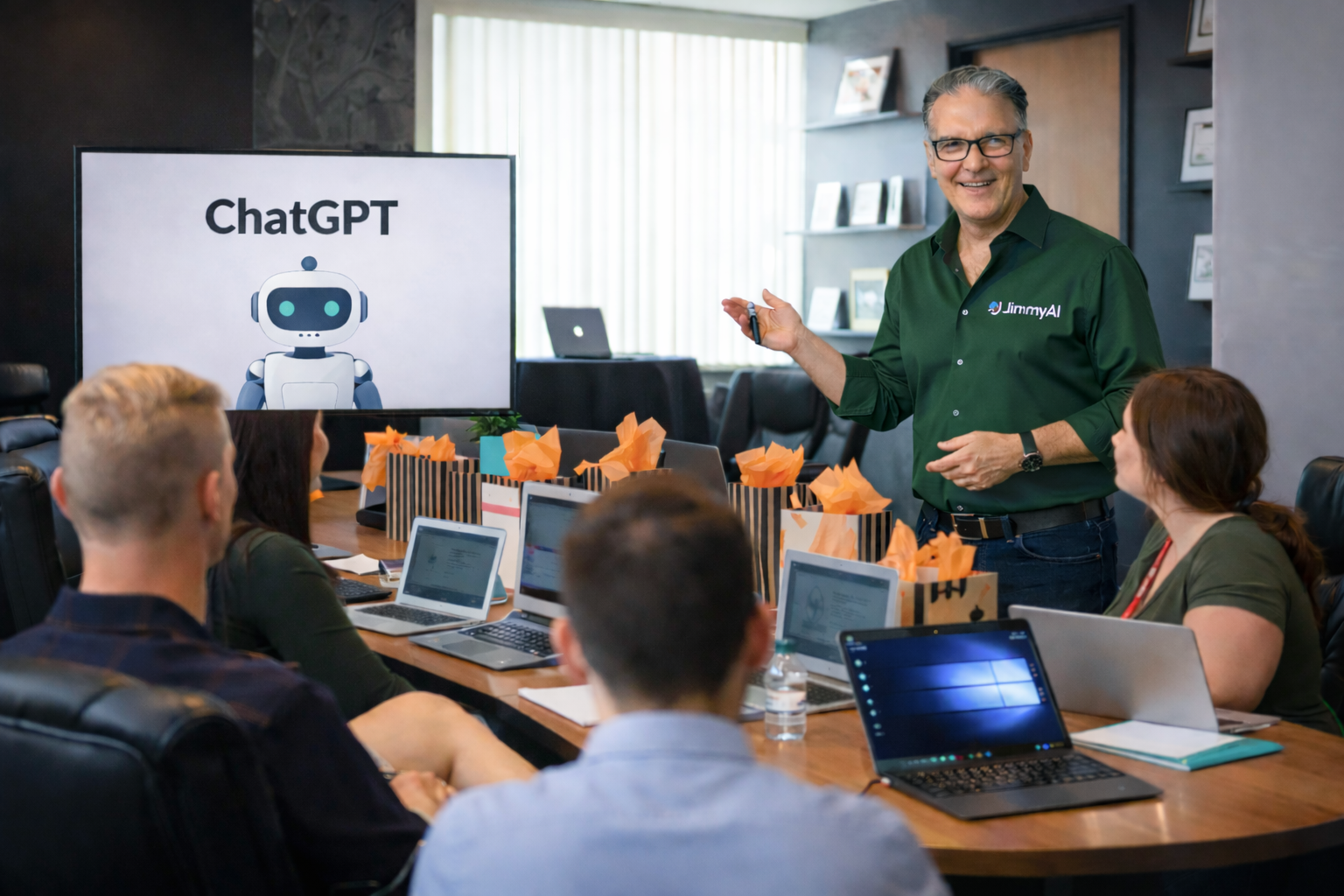
One AI platform that serves your whole business — not just Word and Outlook. Jimmy comes to your office and trains your team hands-on, the same day they start seeing results.
Most companies lose value not because they lack AI tools, but because nobody on the team knows how to use them well. That’s exactly what JimmyAI training fixes — in person, across Ontario.
Why do employees need ChatGPT Training?
See why employees are confused about AI.
Most teams fail because they lack skill, not access
The access problem is solved. The skill problem isn’t.
Employees ask vague questions, paste wrong context, and settle for average results. When a company invests in ChatGPT training, staff learn how to structure prompts, refine output, analyze files, and build repeatable workflows that save time every week.
That creates a skill, not just a subscription.
ChatGPT training has broader business value than Copilot
Copilot training is useful when your main goal is better Microsoft 365 use. That’s a narrow outcome. ChatGPT training serves a bigger goal — operations, communication, strategy, sales, customer service, content, and internal knowledge work.
The skills transfer across roles. The results show up everywhere in the business.
ChatGPT vs Microsoft Copilot
for business training
Both tools have value. The question is which one deserves priority when you train employees. For the widest business impact, ChatGPT should come first.
| Category | ChatGPT | Microsoft Copilot | Why It Matters for Training |
|---|---|---|---|
| Primary use case | Cross-business AI: writing, research, planning, analysis, image gen, custom assistants | AI inside Microsoft 365 apps | ChatGPT applies to more departments and daily tasks |
| Custom assistants | Custom GPTs and team-specific AI workflows | Centered on Microsoft app productivity | Tailored assistants for sales, HR, onboarding, and support |
| File analysis | Works with many file types in one place | Strongest inside Microsoft documents | More flexibility when work extends beyond Office files |
| Image generation | Built into ChatGPT | Not the main focus | Useful for marketing, training visuals, and social content |
| Cross-platform | Useful across websites, CRMs, tools, code, documents, research | Best inside the Microsoft ecosystem | Most businesses use more than one software stack |
| Research workflows | Strong for deep research, summarization, structured thinking | Useful for Microsoft-data context assistance | Matters to managers, owners, and knowledge workers |
| Training impact | Creates AI skills that transfer across roles and tools | Improves app-specific productivity | Broader skills produce better long-term return |
| Best fit | Companies that want one AI system for many use cases | Companies focused mainly on Microsoft 365 workflows | Choose training based on business scope, not software alone |
What ChatGPT training gives employees
that Copilot training doesn’t
A full AI skill set
Employees learn to think with AI — prompt structure, context management, iterative refinement, document analysis, and output evaluation. Skills that go far beyond clicking a button inside Word.
One place for many tasks
Brainstorm, write, summarize, analyze, plan, translate, rewrite, and create visuals in one session. Less tool switching. Faster from idea to output.
Department-specific use
Marketing builds campaigns. HR creates policies and guides. Sales preps call scripts. Leaders review reports and make faster, smarter decisions — all with the same tool.
Custom GPT workflows
Create repeatable assistants for internal tasks — an onboarding assistant, proposal writer, support helper, or knowledge assistant built around your company’s own processes.
Mixed workflow support
Real work crosses PDFs, notes, cloud storage, websites, sales transcripts, and images all in one project. ChatGPT training prepares staff for that reality — Copilot doesn’t.
More visible ROI
Because ChatGPT supports more use cases, managers see results in more places — faster turnaround, fewer bottlenecks, more completed first drafts, stronger internal documentation.
Why ChatGPT training delivers
stronger return on investment
More employees can use it well
Sales lives in CRMs. Marketing lives in design and ad tools. Operations works with PDFs and portals. Leadership needs strategy support. ChatGPT training covers all of it. When training is relevant to more jobs, adoption goes up and results compound.
Training improves judgment, not just output
Good AI training teaches employees to ask better questions, test assumptions, structure tasks, and review answers critically. Those habits improve performance well beyond any single tool. ChatGPT training builds AI literacy, not just software usage.
ChatGPT fits modern business reality
Most companies don’t run one clean workflow inside one vendor stack. They have spreadsheets, cloud drives, customer chat tools, websites, marketing platforms, and scattered knowledge. ChatGPT handles this mixed environment better as a training starting point.
Customization creates leverage
Once employees understand prompt strategy, companies can build custom GPTs for repeated tasks — reducing time spent rewriting the same prompts and standardizing quality across every team in the business.
What every JimmyAI training
session includes
Prompt Foundations
Clear context, format, audience, tone, and step-by-step output refinement that actually works in real business settings.
Role-Based Scenarios
Each department gets examples specific to their actual work — no generic demos that nobody can relate to.
Document Workflows
Summarize, compare, extract, rewrite, and repurpose information from business files — PDFs, reports, emails, and more.
Accuracy & Review
Spot weak answers, improve prompts, and verify before using AI output in real business communications or decisions.
Custom GPT Use Cases
Build repeatable assistants that save time at scale — onboarding guides, proposal writers, support response tools, and more.
Safe Usage Policy
What staff should and should not share with AI tools — responsible usage that protects your business and your clients.
Frequently asked questions
Should companies ignore Copilot entirely?
No. Copilot is useful for Microsoft-heavy teams. The point is priority. Start with ChatGPT for the broadest employee impact. Add Copilot training later for Microsoft-specific workflows if needed.
What if our company already uses Microsoft 365?
That doesn’t reduce the value of ChatGPT. Most businesses still need AI for research, planning, content, custom assistants, and work that crosses software boundaries. ChatGPT covers those needs well.
Is ChatGPT training only for technical teams?
No. Non-technical staff often see the biggest gains because they spend so much time writing, organizing information, summarizing, and preparing communication. Anyone who works at a screen benefits.
Does Jimmy come to our location?
Yes. JimmyAI delivers in-person training at your office or workplace across Ontario — including Niagara, Hamilton, Burlington, Oakville, Mississauga, Toronto, Ottawa, and more.

Jim Jordan is Ontario’s go-to in-person ChatGPT trainer for business teams. Known as JimmyAI, he brings hands-on, practical AI workshops directly to your workplace — no tech background required. Jim trains employees at every level, from front-line staff to managers and business owners, and makes AI immediately usable from day one.
What sets Jim apart is his ability to translate ChatGPT into real business results. He doesn’t teach theory — he teaches workflows. Attendees leave each session with prompts, templates, and repeatable systems built around the actual work they do every day.
Jim delivers workshops across Niagara, Hamilton, Burlington, Mississauga, Toronto, Ottawa, and throughout Ontario. He works with companies in healthcare, manufacturing, retail, professional services, education, marketing, and more. If your team uses computers, Jim can help them use AI to do their jobs better.
JimmyAI is a featured training provider for AI skills development in Ontario’s workforce. His training approach focuses on practical adoption — the kind that sticks long after the session ends and shows up in real productivity gains within days.
Serving businesses across Ontario
Ready to train your Ontario team on ChatGPT?
Jimmy comes to your workplace and trains your staff hands-on. They leave with real prompts, workflows, and the confidence to use AI every day — starting immediately after training ends.
Available across Ontario. No tech background required. Results from day one.